


A compromised package gets patched quickly. The exposure happens before the advisory—while builds run, releases ship, and coding assistants keep pulling the malicious version. Here is how NetRise Provenance® moves the trust decision to the moment a dependency enters a project, and enforces it the same way across the editor, the command line, AI coding assistants, and CI.
The recent open-source incidents—the mistralAI and LiteLLM PyPI compromises, and the pattern they share—were all found and fixed relatively fast. The problem is everything that happens while the malicious release is still live. Installs run without a human in the loop: CI resolves dependencies on every commit, build systems fetch the latest allowed version, containers rebuild and deploy, and AI coding assistants resolve and install packages on a developer's behalf, often on machines no one treated as build environments, such as laptops where non-technical staff work with Claude Code. Most package-trust decisions are made after that pull, in a pipeline gate or an incident. That is too late to prevent the install; it only tells you where to look.
"The problem is everything that happens while it's still up," said Michael Scott, Co-Founder and CTO of NetRise. "Builds run, releases go out, containers deploy, all automatically. AI tools pull dependencies into projects for people who aren't even developers. By the time an advisory is published and the package is quarantined, the compromised version has already spread."
With this release, Provenance now moves the decision to the two points a dependency actually enters a project: the manifest a developer edits, and the install command that runs, whether a person types it or an AI assistant issues it.
How does the Provenance Package Firewall work?
The Provenance Package Firewall checks each open-source package against your organization's policy at install time and blocks those that fail, before it ever lands on disk. The Package Firewall runs at the command line, in the editor, and inside AI coding assistants, applying the same decision your CI already enforces.
The firewall sits between the package manager and the registry it talks to. Rather than adding a plugin to the package manager, it wraps the install command and routes that traffic through itself, running the package manager as a child process. As the manager requests packages, the firewall inspects each request, decides whether the package is allowed under policy, and either passes it through or rejects it before anything downloads. A blocked install returns a standard failure at the point the file would normally be fetched, along with a plain-language explanation of what was blocked and why. Decisions key off the actual registry host in each request, so the firewall works cleanly with the common Python package managers (pip, and tools like Poetry or uv) that resolve against known indexes. Python (PyPI) is supported at launch; that same host-based routing is how additional ecosystems will be added.
How does Provenance block malicious packages in VS Code?
The Provenance extension for Visual Studio Code evaluates dependency manifests as they are written and marks malicious or policy-violating packages in the editor before the file is saved. Hovering a flagged package shows a plain-language reason.
The extension separates two cases developers should treat differently. A red rejection means the package is blocked — it's malicious or breaks a fail-on rule. A yellow warning means the package is allowed but flagged — an advisory, an unhealthy or archived project, or a warn-on rule — so the developer can decide whether to proceed or choose another version. Findings pulled in through a transitive dependency are rolled up onto the dependency that introduced them.
A developer can follow through to the Provenance interface for the full evidence behind any decision, and the extension applies the same enforcement the firewall does, so what a developer sees while editing matches what happens at install.
How does Provenance secure dependencies installed by AI coding assistants?
Provenance plugs into AI coding assistants with a pre-tool hook. Before the assistant runs an install, the plugin routes that command through the Package Firewall, so a package that violates policy is rejected before it reaches disk. Commands that are not installs pass through untouched, so the assistant keeps working normally.
This matters because AI assistants introduce a new path for dependencies to enter a project: the assistant resolves and runs the install itself, frequently for people who would not describe themselves as developers. The plugin wraps the assistant's tool calls, inspects each one, and applies the same verdict a person would meet at the command line. Provenance ships plugins for Claude Code, Gemini, and Codex.
How is the same policy enforced across the editor, CLI, AI assistants, and CI?
A single declarative policy file governs every surface. The same rules that pass or fail a build in CI decide what a developer sees in the editor, what the firewall blocks at install, and what an AI assistant is allowed to pull. Teams define the policy once, in a config the editor, CLI, AI plugins, and CI all read.
Because the surfaces share one policy rather than four rule sets, enforcement stays consistent from a developer's first keystroke through to the build. That closes the gap where a risky dependency used to slip in before a pipeline ever ran.
What does Provenance check each package against?
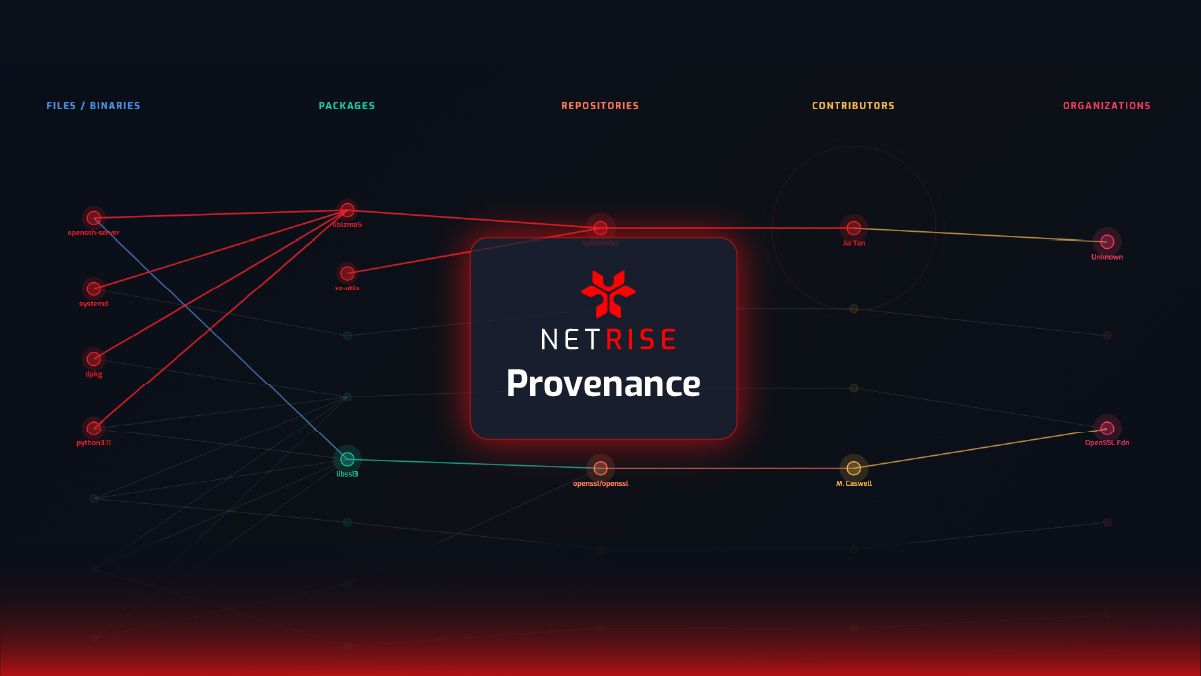
At install, Provenance checks each package against your policy and the signals behind it: known advisories, repository health and security signals, contributor and organization attribution, and continuous malicious-package detection. When a package is implicated, Blast Radius then shows how far that risk reaches — the direct and transitive dependents exposed across your projects.
That detection targets the patterns behind real compromises: malicious changes introduced between versions, dependency-confusion gaps where a referenced package is missing from a public registry, credentials embedded in package contents, and names that impersonate popular packages.
Provenance enforcement surfaces at a glance
| Surface | Where it runs | When it acts | What a developer sees |
|---|---|---|---|
| Package Firewall CLI | Command line, as a local proxy | At install, before download | A blocked install with a plain-language reason |
| VS Code extension | The code editor | As the manifest is written | Malicious/policy packages flagged inline |
| AI coding assistant plugins | Inside the AI assistant (pre-tool hook) | Before the assistant runs an install | Rejected packages reported back; non-installs unaffected |
| Provenance check in CI | The pipeline | On commit/build | Pass or fail against the same policy file |
Availability
The Provenance Package Firewall CLI, the AI coding assistant plugins, and the Provenance extension for Visual Studio Code are available to Provenance customers, with initial support for the Python (PyPI) ecosystem and additional ecosystems planned.
Every machine that can resolve a dependency and run an install is a build environment now, including those running an AI assistant on a developer's behalf. Provenance applies the same trust decision to all of them, at the one moment it costs nothing to say no: before the package is ever pulled.